
What are your email subscription rates looking like?
Don’t
be afraid to check. I know it’s not exactly a great feeling to see your
numbers have fallen, but every website hits a rough patch.
The goal, however, is to consistently gain more email subscribers. But you don’t have all the time in the world to implement complicated list building schemes.
How
about starting small and implementing some simple yet effective ways to
get more email subscribers? That way, you’ll still be able to spend
most of your time on day-to-day business activities, while also knowing
that your email list is in good hands.
Note: Since some of the strategies I mention can only be accomplished via a plugin, make sure you don’t end up using too many plugins.
1. Setup Exit-Intent Popups
Exit popups are the ones that show up when you’re about to leave a site (it relies on cursor movement). Now, there are dozens of plugins available
that allow you to set up exit popups. Some of the popular ones are
OptinMonster, Thrive Leads, and SumoME. I use OptinMonster, since I’m
also using it for other purposes (more on that later).
Exit intent popups work well, but they don’t work as well as normal popups.
The key here is to test. Test what is working and what’s not.
Personally, I’ve found normal popups work better, but exit-intent
solutions are useful for showing exclusive deals or something similar,
when the user is about to leave.
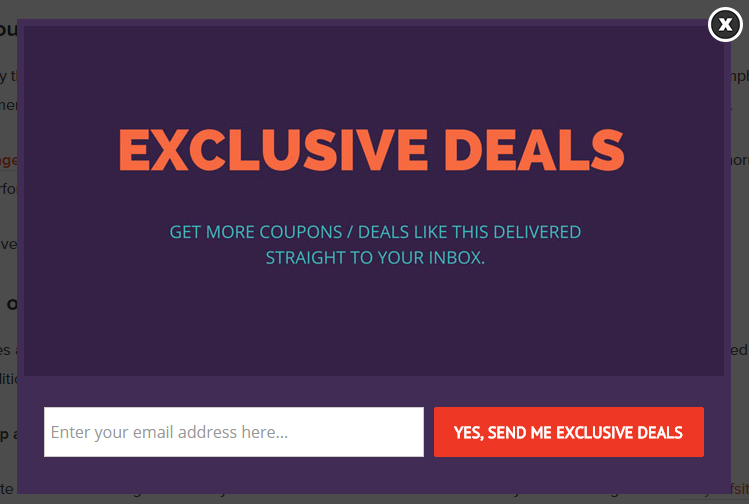
I
recently set up an exit-intent popup that shows a discount code when
someone goes to leave the site. It’s a win-win situation for both user
and site owner because as a site owner you get a new subscriber, and the
user gets a discount on the product they are about to purchase.
Quick Note, the popup was created using Canva and OptinMonster.
2. Format Your Posts Properly
Formatting
is easily the most effective way to improve your conversion rates. If
you’re not spending time on formatting your blog posts properly, you run
the risk of people ignoring your posts or not generating any comments
or social shares. I’ve been there. I published posts which were in-depth
but weren’t formatted properly.
The result: not enough traction, comments, or links to drive any leads or rank well in Google.
Amazingly, Gael Breton from AuthorityHacker was able to increase traffic to one of his site’s by 9,275% by simply re-formatting the post.
Here are some quick tips to get started:
- Proofread: Always proofread and edit your blog posts before publishing, use tools such as Grammarly and PaperRater to check for spelling and grammar mistakes.
- Bucket Brigades: Using short phrases that entice your readers to keep on reading.
- Content Builders: Using content building plugins such as Thrive Content Builder by ThriveThemes.
3. Add Coupons Section
According to a study done
by Eric Graham from Conversion Doctor, he found that having a coupon
code field on the checkout page can result in users abandoning the site
to search in Google for the coupon code. And for bloggers like you and
me, we need to capitalize on the coupon codes. For those of you who use
WordPress to power their sites, you can easily add a coupon area using
Custom Post Types and Taxonomies.
Alternatively, you can use a WordPress plugin such as CoupineWP, which I developed.
Now, how do you increase email subscribers with that?:
- Step 1: Create a new post / page and write a description of it.
- Step 2: Setup an exit-intent popup with a coupon, so when the user is about to leave the post a nice little opt-in form pops up asking her for an email in exchange for the exclusive coupon code.
4. Content Upgrades
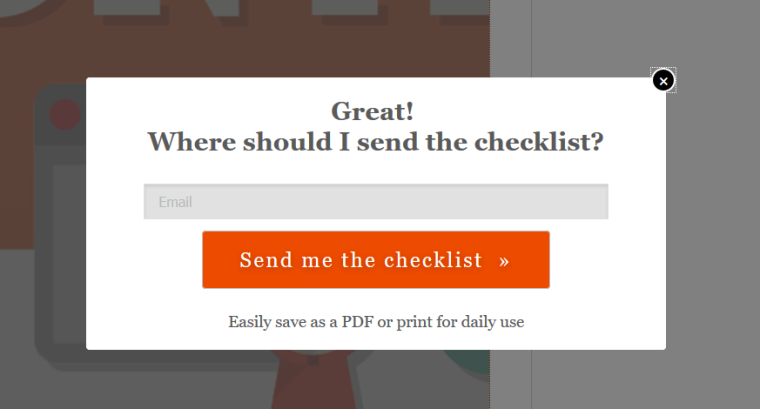
Content upgrades have become quite popular lately, so much that people have started building exclusive plugins for them.
The whole content upgrade thing started when Brian Dean first wrote about
it on his blog. Since then many site owners have implemented this with
great success. I’ve also started experimenting with it lately and seeing
some good results. You can also use the same popup as an exit-intent
for capturing visitors who a.) haven’t subscribed to your list and b.)
are about to leave your site.
It could easily help you reduce bounce rate and increase page views. Here are some popular content upgrade plugins:
- Content Upgrades Pro: As the name suggests, it’s a simple plugin that allows you to set up content upgrades. It costs $37 for a single site and is $77 for multiple sites.
- LeadPages: LeadPages is more than just a content upgrade plugin, since it comes with a ton of unique features such as LeadDigits for capturing email addresses and phone numbers through SMS text messaging. Also, LeadLinks prompts subscribers to join your list, sublist, or even subscribe to a webinar with a single click.
- Thrive Leads: This is another great plugin that comes with a whole lot of features including content upgrades. It could easily be the most complete list building solution out there.
5. Give the User Full Control of What They Get and When They Get It
One
of the reasons people are less likely to sign up for your email
newsletter is because they don’t want to be inundated with yet another
influx of marketing messages. Sure, your content may stand out compared
to what they already have landing in their inbox, but a problem arises
due to junk mail every consumer has received.
The
same goes for folks who unsubscribe from your email list. There often
comes a time when users simply need to get rid of some of the content
that lands in their inbox, and if you send out too many emails, or
emails that aren’t relevant, your list may not make the cut.
Therefore,
it’s wise to give the user full control of what they receive and when
they receive it. Consider offering a few check boxes during your signup
process and allow them to choose if they’d like weekly or daily emails.
You may also specify the types of content being sent out, allowing them
to choose between, say, blog updates and funny quotes.
Finally,
many users find it tedious when you ask them why they’re leaving your
email newsletter list. Although you may find the feedback informative,
why not try to keep them around if your only plan is to annoy the
unsubscribers?
Instead
of asking why they are leaving, present alternative subscription
options. For example, you could ask if they would rather receive emails
on a monthly basis, as opposed to a weekly basis.
6. Place the Email Signup Form After Your Blog Content
We’ve
all seen this in action, but it’s not always the first thing you think
of when collecting more email addresses. If your blog is active, you
should be taking advantage of it completely. After all, what’s the point
of generating free content if it’s not going to lead to search engine
boosts, affiliate clicks, or email subscriptions?
The catch with this is that you generally need to find a WordPress theme that
offers a widget area right underneath the blog post. This way, any
signup form can be placed into the widget and replicated underneath
every single blog post.
If you don’t have that functionality on your current theme, you can simply use a WordPress plugin, such as Optin Forms.
7. Grab Visitor Attention by Implementing an Interactive Bar

Sometimes
a popup box is too annoying. Sometimes people don’t notice a signup
widget in the sidebar. It all depends on your audience, but many
companies and blogs have noticed that A/B testing favors a simple bar at
the top of the homepage.
This
top bar generally states a quick line about why it’s beneficial to
subscribe to an email list. It doesn’t take up too much space, and
people can quickly type in their email address without going to a
completely new page. The other cool thing is that many of the top bar
plugins and services allow for customization, sliding to other bars and
alternative links that lead to sales and landing pages.
Here are some of the services that offer bars for improving your email subscriptions:
- Hello Bar
- MailChimp Topbar
- ViperBar
- ManyContacts
Conclusion
Now
that you’ve seen some simple yet effective ways to get more email
subscribers, feel free to bookmark and go through the list to optimize
your website. Start by considering an exit-intent popup, and go all the
way to implementing an interactive bar at the top of the homepage.
There
are thousands of ways to improve your email subscription rates, but
hopefully these quick techniques can boost your rates in a short period.
If you have any other suggestions for list building, please drop a line
in the comments section below.
Reference from - www.searchenginejournal.com/7-simple-yet-effective-ways-get-email-subscribers/147065/

No comments:
Post a Comment